
Adding the Footnotes icon to the CKEditor toolbar
Last updated on
5 February 2020
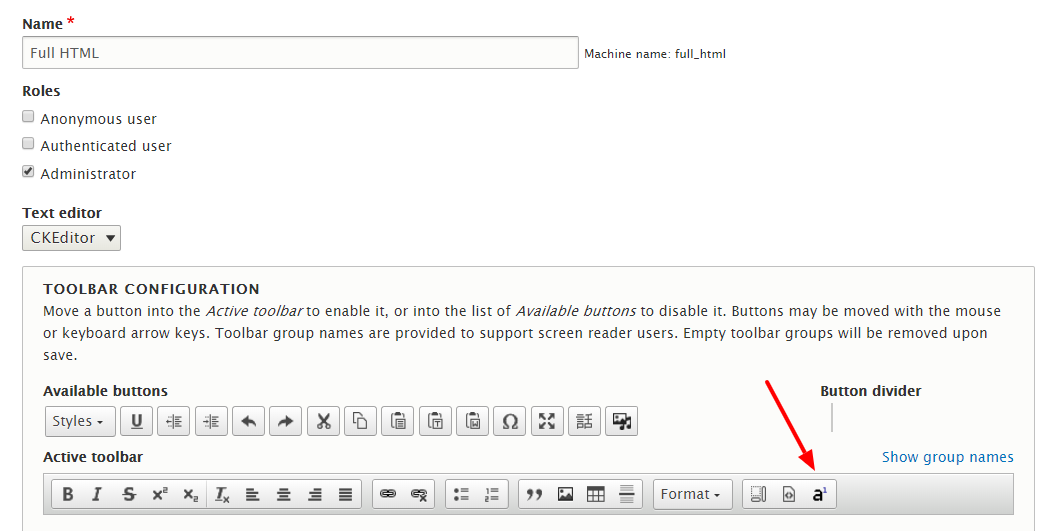
For better user experiences, the Footnotes module has a CKEditor integration. So users can add footnotes directly from the WYSIWYG with no need to open the source code. All you need is to add the Footnotes icon to the CKEditor toolbar.
On the configuration page of the selected text format at Configuration — Content authoring — Text formats and editors. Drag the Footnotes icon from the Available to the Active toolbar.
Help improve this page
Page status: No known problems
You can:
You can:
- Log in, click Edit, and edit this page
- Log in, click Discuss, update the Page status value, and suggest an improvement
- Log in and create a Documentation issue with your suggestion
