
On this page
How to enable the public file system for the webform file upload element
This documentation needs review. See "Help improve this page" in the sidebar.
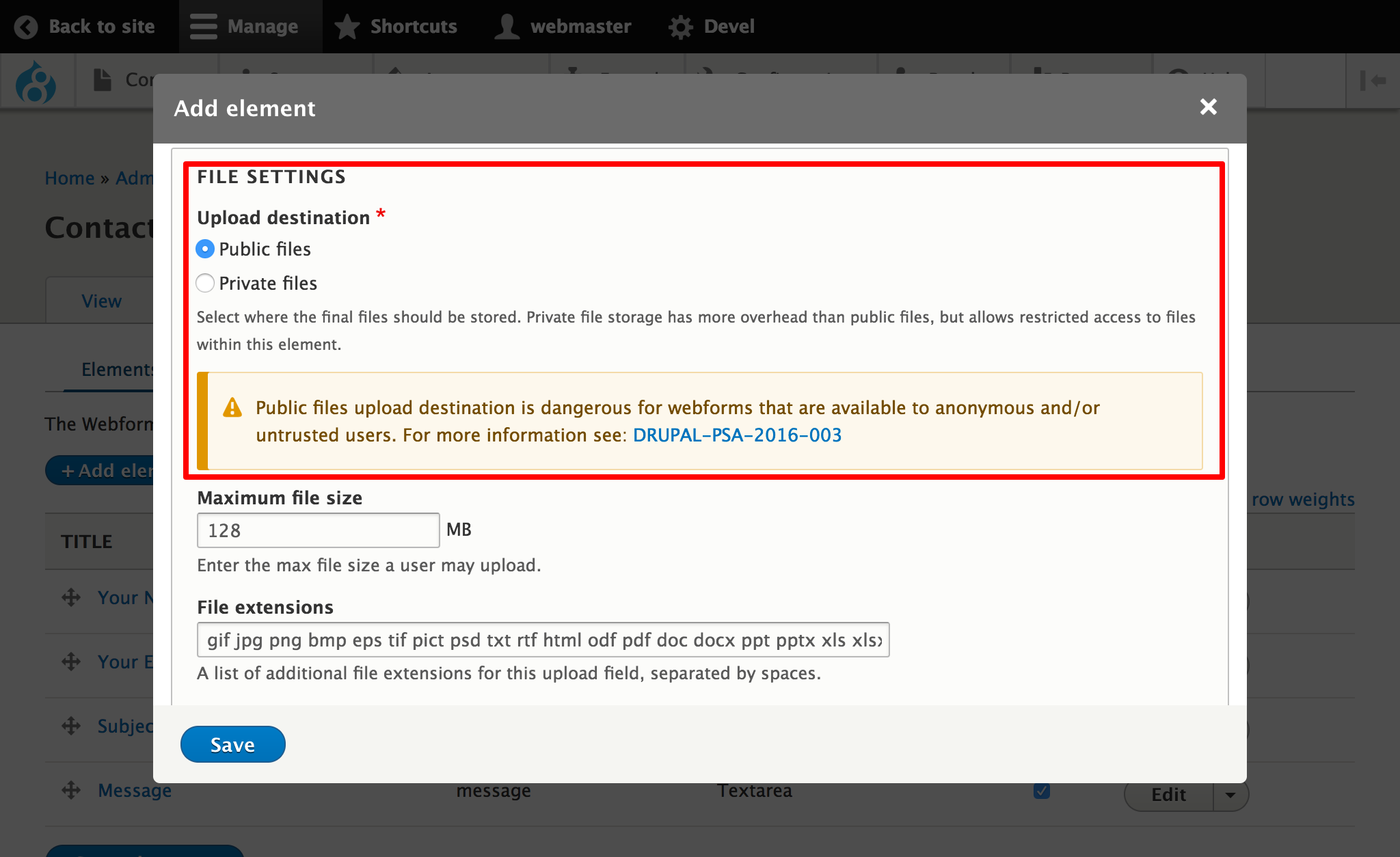
Enabling the public file system is not recommended for anonymous users because malicious users use forms that allow public and accessible file uploads to store and share documents and malicious content. Please see Drupal file upload by anonymous or untrusted users into public file systems -- PSA-2016-003 for more information.
Enable public file upload locations
If you do need to enable the public file system for the webform file upload element, please follow the below steps.
First, enable the public file systems via the Webform admin settings (Structure -> Webform -> Configuration -> Elements, /admin/structure/webform/config/elements).
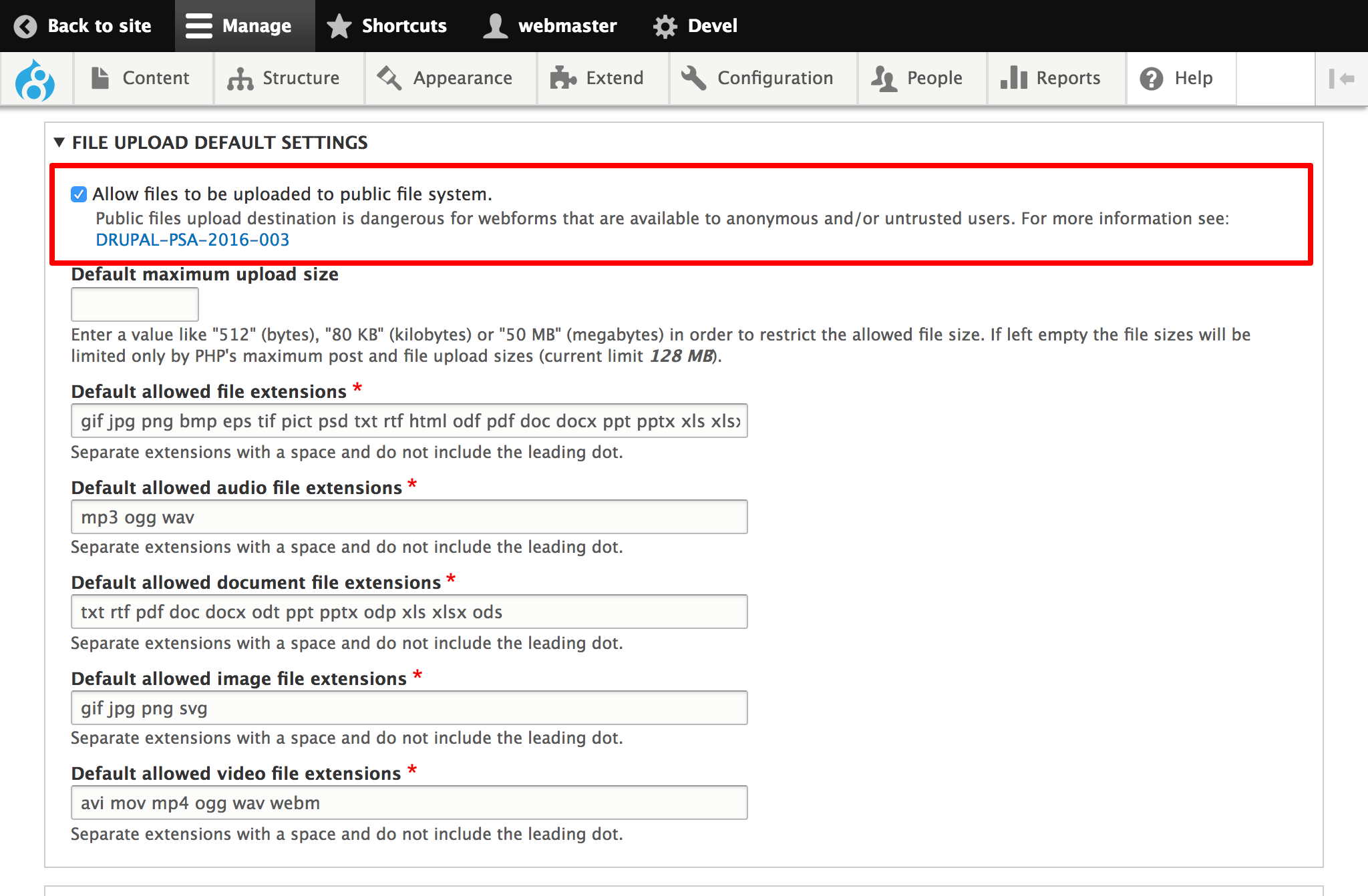
Now, you can see the 'Upload destination' of any webform file upload element to public.
Help improve this page
You can:
- Log in, click Edit, and edit this page
- Log in, click Discuss, update the Page status value, and suggest an improvement
- Log in and create a Documentation issue with your suggestion
