
On this page
Setting the language for administration pages
Drupal 8 and higher allows each editor to use a different language for the administration pages.
To enable this option you first need to install the desired languages on the languages page (/admin/config/regional/language).
The next is to enable the "Account administration pages" option on the Detection and selection page which you can visit by clicking the Detection and selection tab or by visiting /admin/config/regional/language/detection:

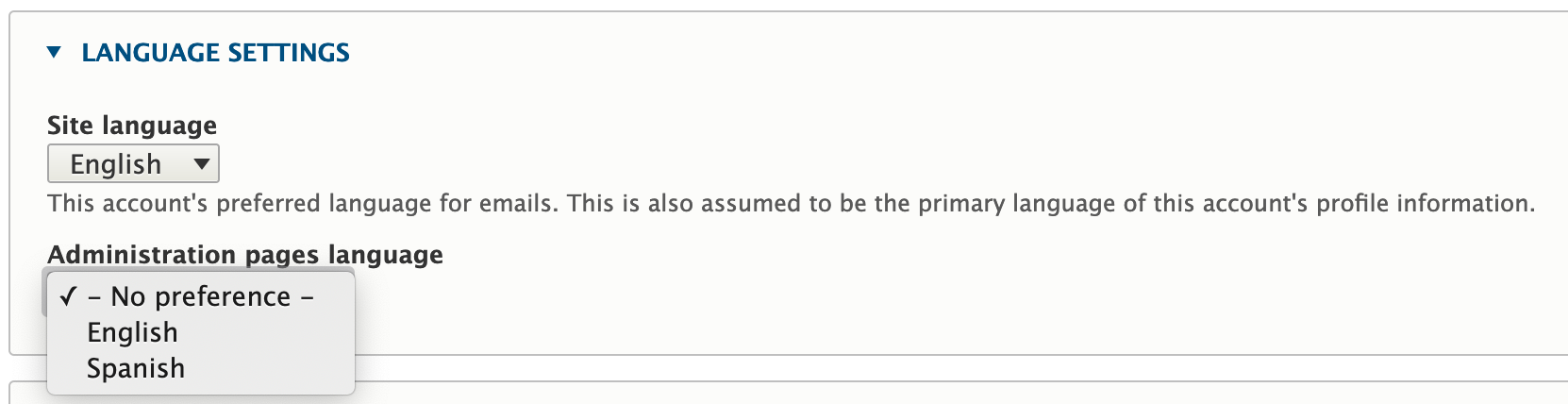
When this option is enabled each user can go to Edit profile and select the desired language for the administration pages under the Language settings option:
Translate content with Admin pages in user language
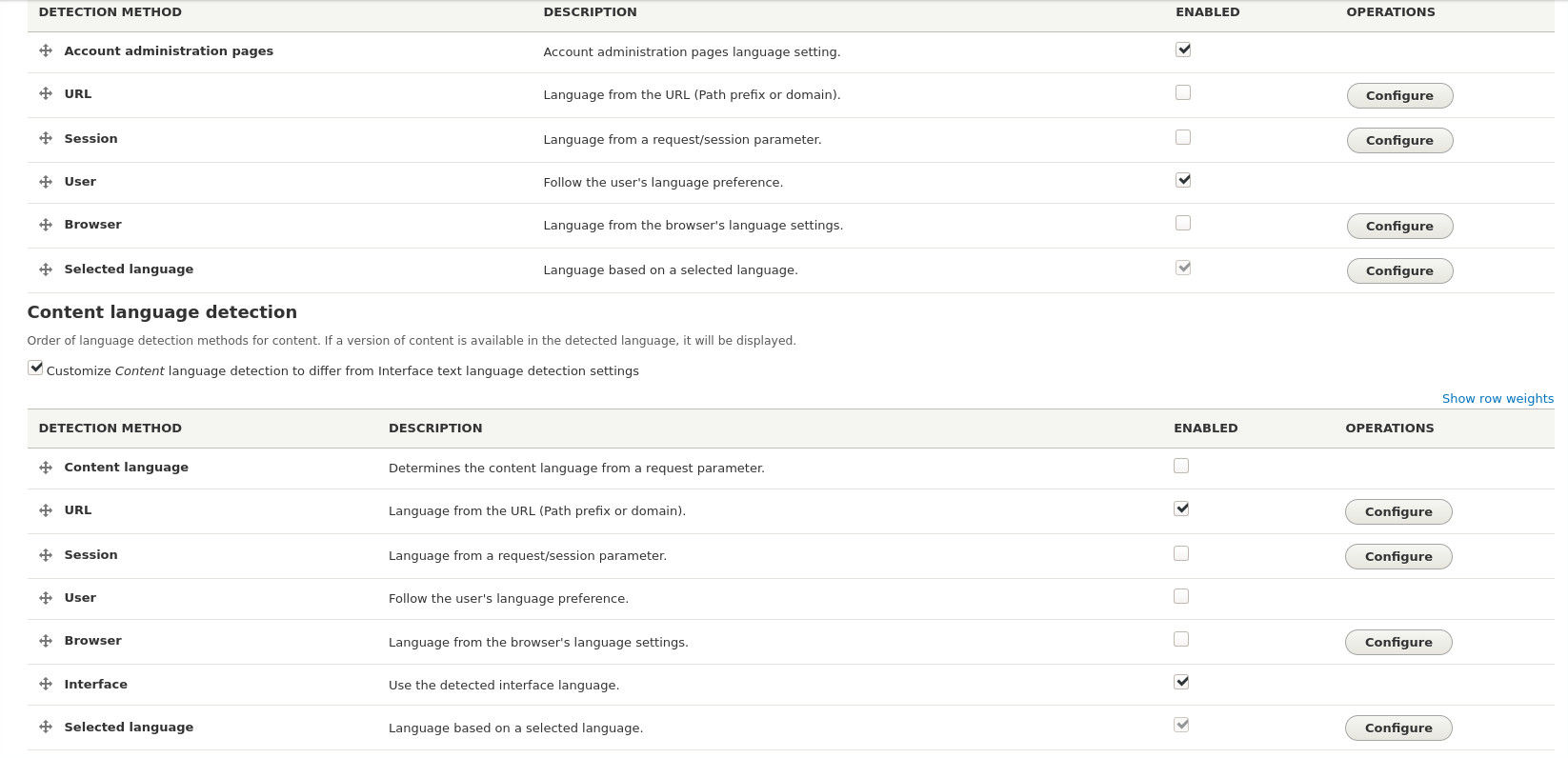
To keep the administration pages in your selected language and translate content in another language change the language detection settings at /admin/config/regional/language/detection. In the Interface text language detection section enable 'Account administration pages', 'User' and 'Selected language'. Make sure those selections are in that order, that is, that 'Account administration pages' is at the top. Then enable Content language detection. In this section enable 'Url', 'Interface' and 'Selected language'. Then save the settings.
Help improve this page
You can:
- Log in, click Edit, and edit this page
- Log in, click Discuss, update the Page status value, and suggest an improvement
- Log in and create a Documentation issue with your suggestion
