
On this page
Installing and Configuring Disclosure Menu
Last updated on
27 March 2025
This documentation needs work. See "Help improve this page" in the sidebar.
Installation
Install the Disclosure Menu module using the standard installation method for contributed modules.
It is recommended that you use composer to install the module.
composer require drupal/disclosure_menu
Once installed, be sure to enable the module.
Configuration
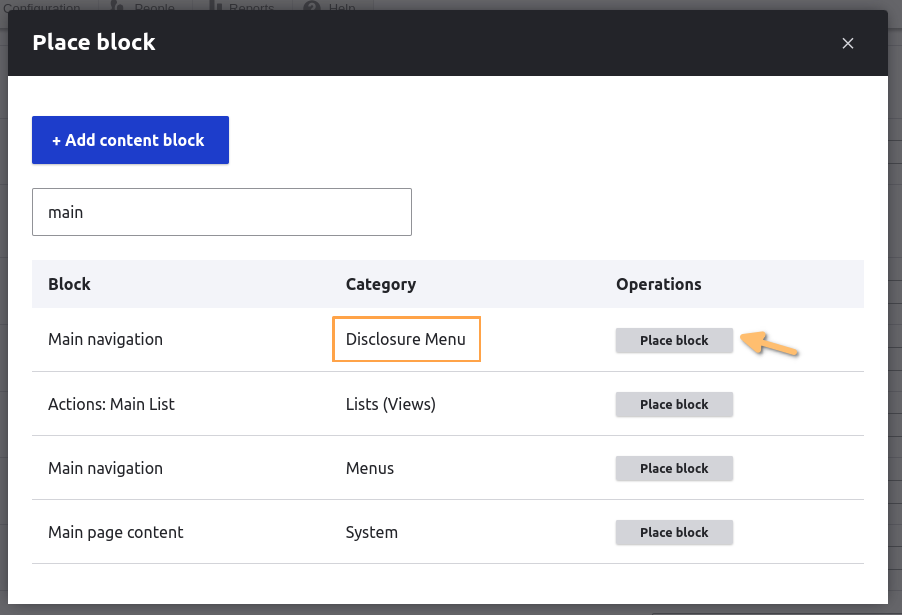
Once Disclosure Menu is installed and enabled, add your menu as a Disclosure Menu block via Structure > Block layout (/admin/structure/block).
Click the Place block button for the region you want your menu to appear in.

Then place the block for your menu that has the category Disclosure Menu.
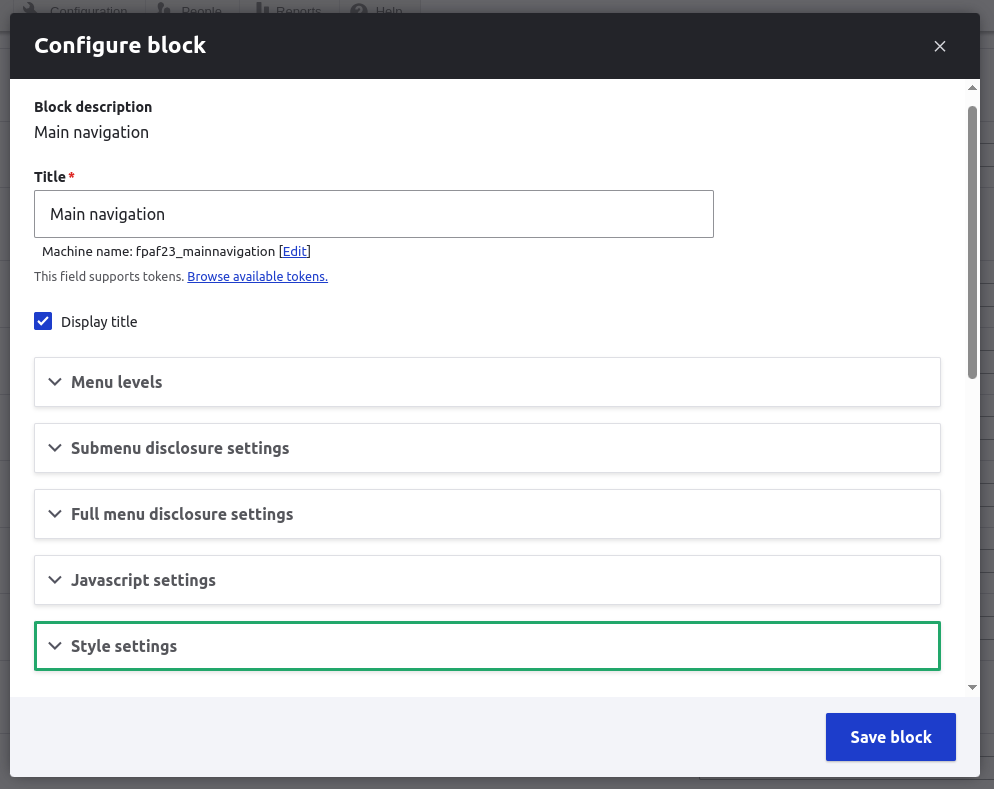
The block form will then include options defining the dropdown menu behavior and disclosure buttons.
These options include:
- How to trigger the dropdown (eg: hover, click)
- The speed in which the dropdown appears for a user
- Menu styles (Unstyled, Horizontal, Vertical)
Help improve this page
Page status: Needs work
You can:
You can:
- Log in, click Edit, and edit this page
- Log in, click Discuss, update the Page status value, and suggest an improvement
- Log in and create a Documentation issue with your suggestion
