
7.7. Assigning Authors to Content
Last updated on
14 April 2025
Assign Vendor content items Happy Farm and Sweet Honey to the corresponding Vendor user accounts, so they can edit their own Vendor profiles on the site.
- The Vendor content type must exist, and your site must have at least two Vendor content items. See Section 6.1, “Adding a Content Type”, Section 6.3, “Adding Basic Fields to a Content Type”, and Section 5.2, “Creating a Content Item”.
- User accounts for at least two vendors must exist. See Section 7.4, “Creating a User Account”.
- In the Manage administrative menu, navigate to Content (admin/content).
- Find Vendor content item Happy Farm in the list. If it is not immediately visible, you can filter the list by Published status, Content type (Vendor), Title, or Language. Click Edit for the Vendor content item you would like to assign an author to.
Under Authoring information, start typing the Vendor’s user name Happy Farm in the Authored by field. The field lists matching user names. Select the Vendor’s user name from the list.
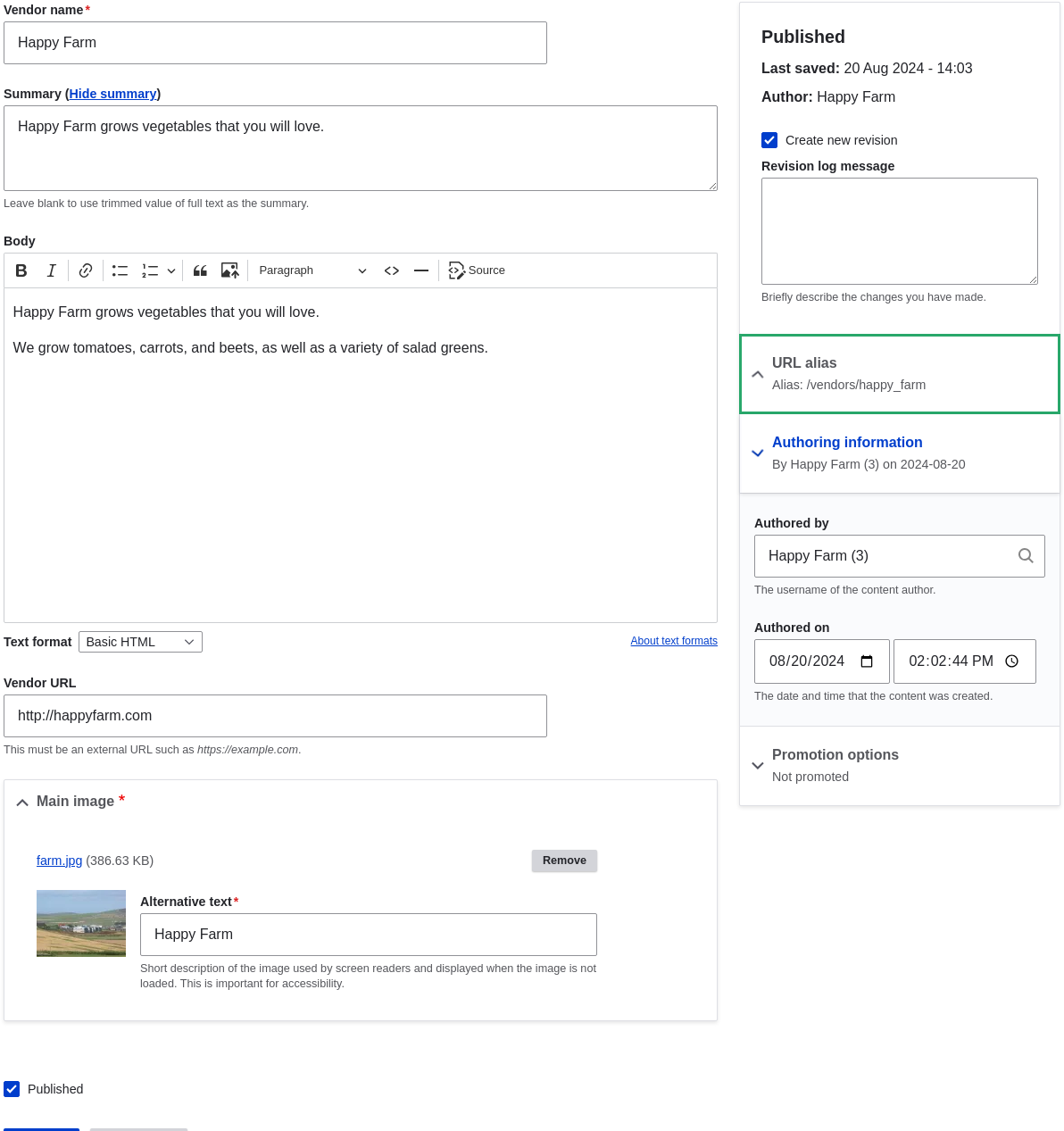
- Click Save.
You will get a notification that the Vendor content item has been updated.

- Follow these steps again to assign Vendor content item Sweet Honey to the Vendor user account Sweet Honey.
This page is generated from AsciiDoc source from the User Guide. To propose a change, edit the source and attach the file to a new issue in the User Guide project. PDF and e-book formats are available on the User Guide project page.
Source file: user-content.asciidoc
Help improve this page
Page status: No known problems
You can:
You can:
- Log in, click Edit, and edit this page
- Log in, click Discuss, update the Page status value, and suggest an improvement
- Log in and create a Documentation issue with your suggestion
