ETUF
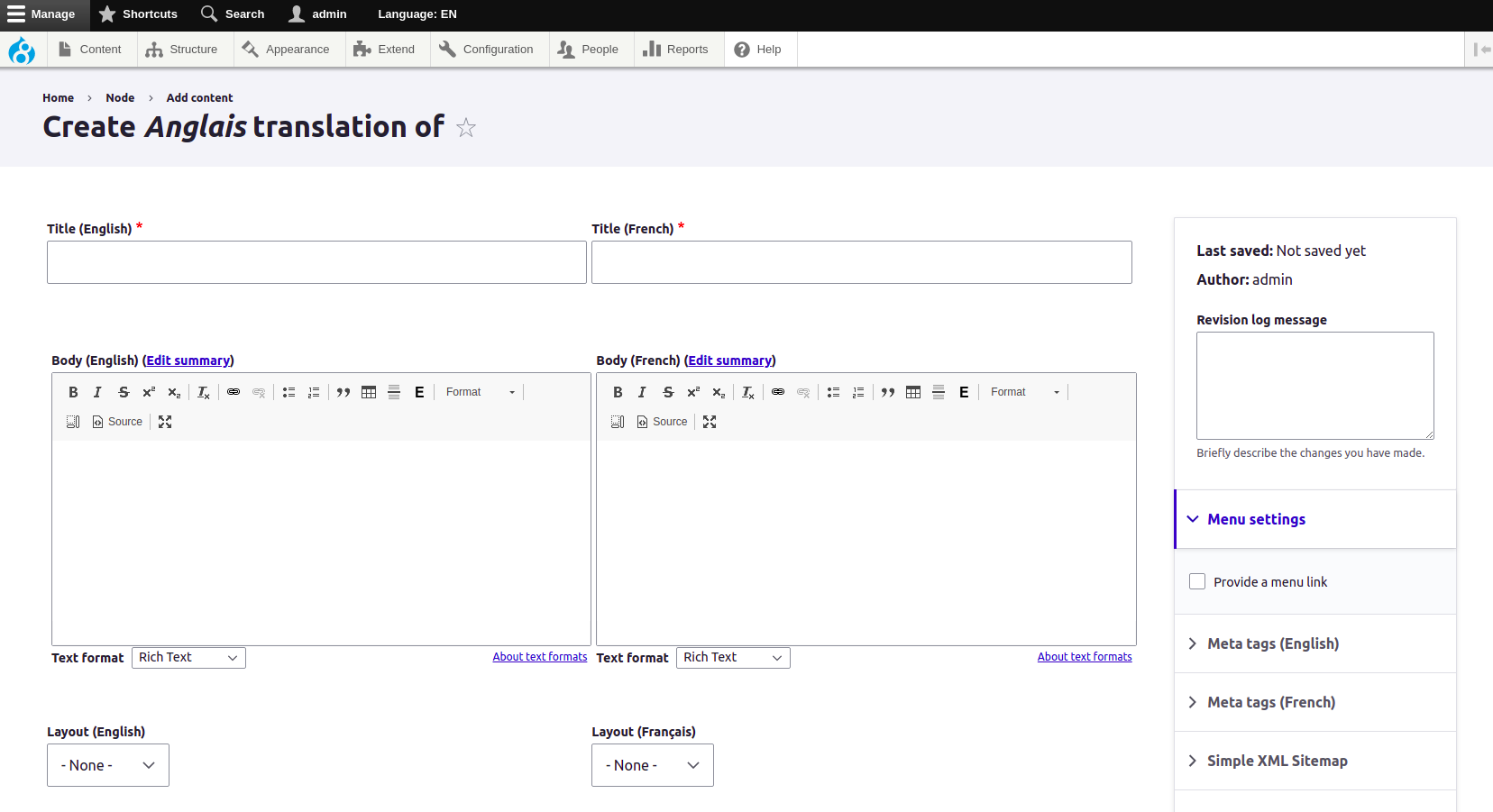
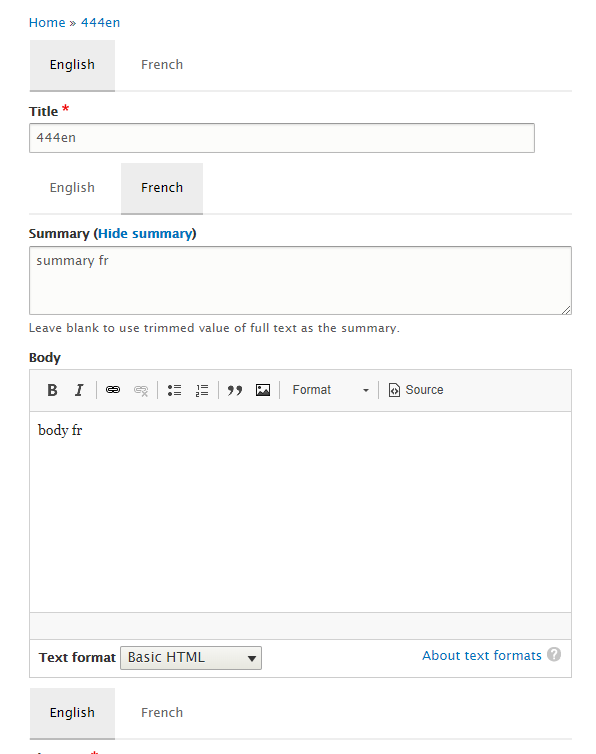
Places all entity-translatable fields inline in a single form.
Drupal 7
The Drupal 7 version is considered stable.
Usage
From the content type's edit screen, enable "Place all entity-translatable fields for all enabled languages inline on the node add/edit form"
Drupal 8/9,10 and 11
The Drupal 8/9/10/11 version is a mature and robust solution .
Differences in the Symfony Drupal version compared to Drupal Classic
- Field collections no longer supported (but paragraph entities are partially supported).
- Other content-translatable entity types are supported.
- Added tabbed mode. (please refer to the Readme.md for setup)
- Optional side by side LanguageA / LanguageB side by side editing is available. (some fields especially non-translateable ones should go into details groups to ensure proper layout)
Usage
Visit the content language page (admin/config/regional/content-language). Next to a content-translatable entity type, enable "Place all content-translatable fields for all enabled languages inline on the node add/edit form". Also enable "Replace node edit" in order to provide access to all fields while editing in other languages.
Now supports paragraphs.
Similar modules
These modules take a centralized approach: Shows menus, nodes, blocks and taxonomy with source and target language side by side.
- Multilanguage Form Display (D8,D9,D10)
- translate_side_by_side (D8/D9/D10/D11)
- entity_translation_sbs (D7)
- Entity Translation: Separated shared elements form (ETSSEF) (D7)
Known issues
- incompatible with autosave_form module, if you have autosave_form, uninstall it prior to testing /using entity_translation_unified_form
- see the README.md for troubleshooting
Supporting organizations:
Provide hosting and developer
Bilingual / multilingual Drupal platforms
Project information
- Project categories: Content editing experience, Multilingual, Site structure
- Ecosystem: Content translation, Entity Translation
 167 sites report using this module
- Created by bzaher on , updated
 Stable releases for this project are covered by the security advisory policy.
Look for the shield icon below.