
On this page
- Error: User registration is temporarily unavailable
- Error: Unable to initialize configuration (configure private file system path)
- Error: cURL error 51 (Remote server's SSL certificate deemed not OK)
- I do not see any app analytics data.
- Cannot reach management server. An administrator should check the configuration of this site.
Troubleshoot issues
The following sections provide tips for troubleshooting issues with your developer portal.
See also Monitor Apigee Edge debug logs.
Error: User registration is temporarily unavailable
If you do not configure the connection between the developer portal and Apigee Edge, you will not be able to register developers on the developer portal (see What information is stored on Apigee Edge?) and may cause other issues with Drupal core functions. If you do not plan to configure the connection between the developer portal and Apigee Edge, you should disable the Apigee Edge module.
Error: Unable to initialize configuration (configure private file system path)
Before you can configure the connection to Apigee Edge, you must configure your private file path in the sites/default/settings.php file and ensure it is writeable by Drupal. See Configure the private file system path.
Error: cURL error 51 (Remote server's SSL certificate deemed not OK)
You may encounter this exception if your devportal tries to connect to a management server with a self-signed certificate. To enable the devportal to trust the self-signed certificate, add the following configurations to your settings.php file:
-
For management servers with self-signed certificates
$settings['http_client_config']['cert'] = 'path/to/self-signed-cert'; -
For management servers configured for two-way SSL
$settings['http_client_config']['ssl_key'] = 'path/to/client.key'; -
For a hostname mismatch with the certificate Common Name
$settings['http_client_config']['verify'] = false;
Note: In cURL version > 7.62.0, users may see Error message: cURL error 60. Error 51 was unified with Error 60.
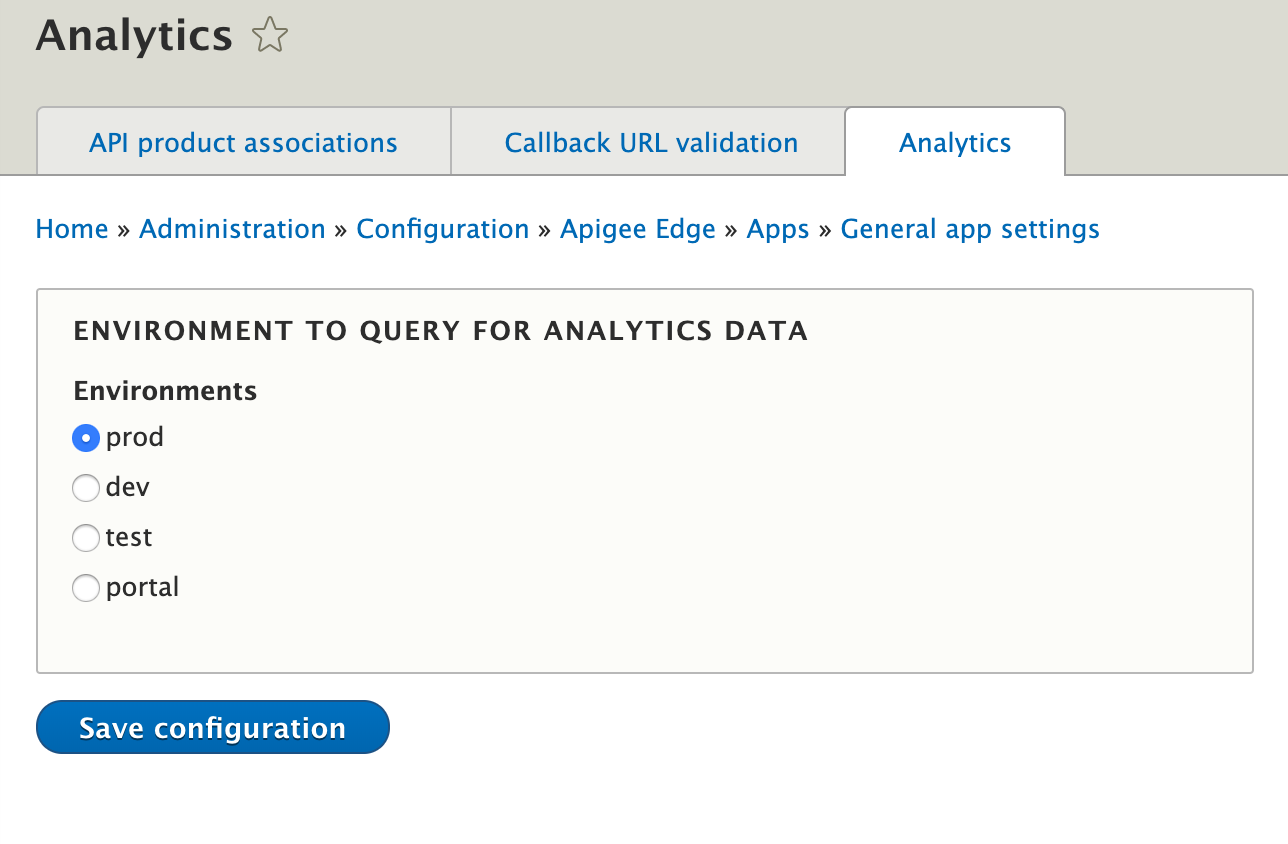
I do not see any app analytics data.
Make sure that under /admin/config/apigee-edge/app-settings/general/analytics you choose the matching Apigee Edge environment.
Cannot reach management server. An administrator should check the configuration of this site.
This can be a configuration issue with the site, make sure the configuration of the connection to Apigee has been configured correctly. If you go to Configuration > Apigee Edge > General in the Drupal administration menu, there is a Test Connection section that can help troubleshoot your connection settings.
If an error message is being sent from the Apigee API, it will be shown on the screen. For example, you may see a message such as:
Unanticipated exception. Please contact your Support administrator with code : be37f72a-f52d-4c62-8f97-xxxxx
You will most likely need to contact Apigee support and give them the code to trace down the issue. You can get more information on the exact API call details by turning on Apigee Edge debug logs.
Help improve this page
You can:
- Log in, click Edit, and edit this page
- Log in, click Discuss, update the Page status value, and suggest an improvement
- Log in and create a Documentation issue with your suggestion
